
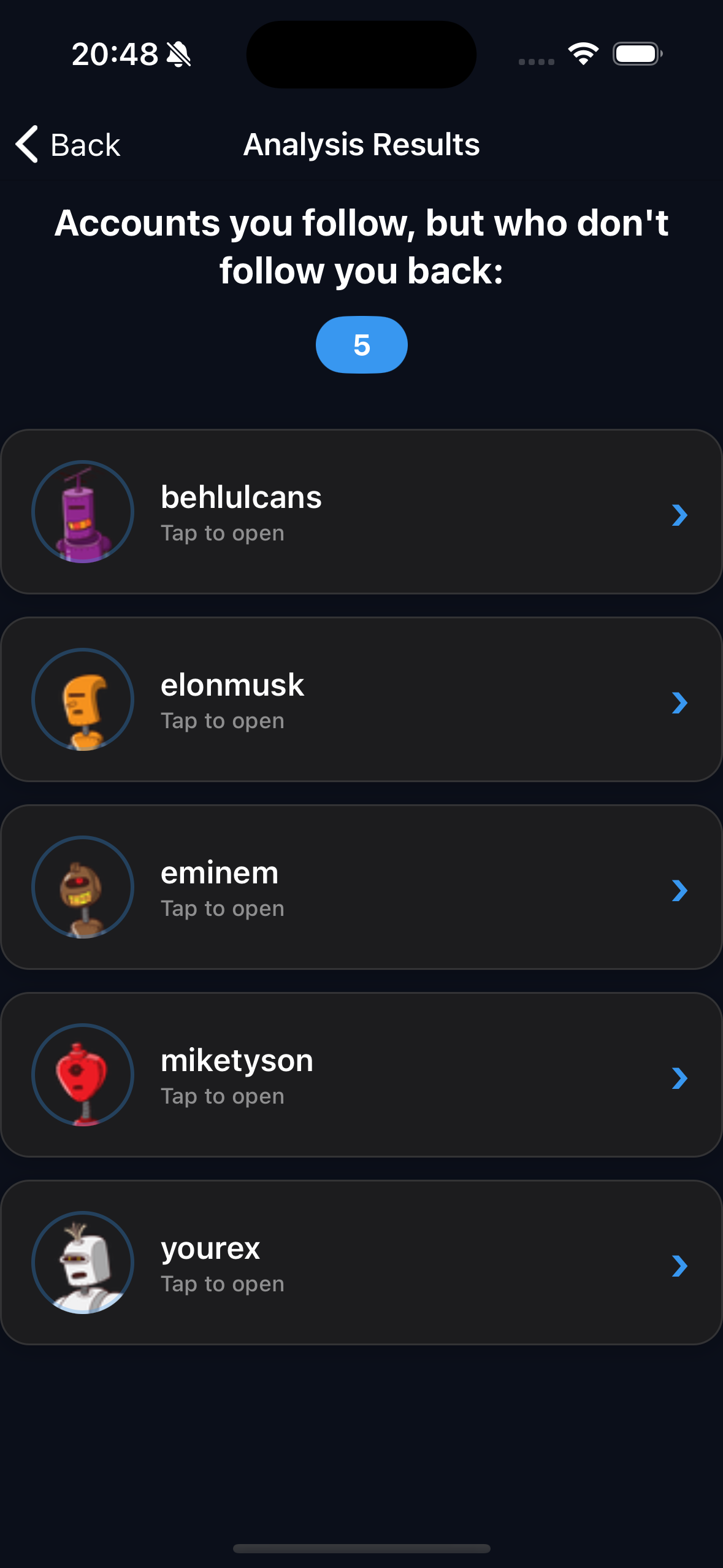
THE ONLY SECURE WAYWho Unfollowed You on Instagram
Zero shadow ban risk. No login required. Your data stays on your device. The only safe Instagram follower analyzer that never touches Instagram's servers.

How It Works
Analyze your Instagram followers in just 3 simple steps - with zero shadow ban risk
Request Your Data
Request your ZIP file containing Followers & Following lists from Instagram Account Center.
Upload ZIP File
Select the ZIP file in the app. No login credentials required. All processing happens on your device.
View Results
See non-followers, unfollowers, and more instantly. Safely and quickly, with zero shadow ban risk.
Frequently Asked Questions
Answers to common questions about our secure Instagram analyzer
How does it work without login?
The app only processes the official data package (ZIP) that Instagram gives you, locally on your device. No data leaves your device, all analysis happens on-device. This means you never share your password or account credentials with anyone.
Will my account be at risk or get shadow banned?
No, absolutely not. There's no third-party login, so there's zero risk of shadow ban, account restrictions, or suspicious session warnings. We never touch Instagram's servers. You use Instagram's official data download feature, which is 100% safe and approved by Instagram.
What platforms are supported?
iOS (iPhone and iPad) and Android devices are supported. All features are available on both platforms.
I see someone in the list who actually follows me. Why?
This usually happens because your Instagram data export wasn't set to "All time" for the date range. When you request your ZIP file, make sure to select "All time" instead of the default shorter range — otherwise Instagram only includes a partial snapshot of your followers and following lists, which can cause the app to show people who actually still follow you as non-followers. Re-request your data with "All time" selected and re-upload the new ZIP.
Why am I seeing deactivated accounts on my unfollowers list?
Deactivated or deleted Instagram accounts can still appear in your data package because Instagram includes them in the export. The Unfollowers No Login app lets you hide these accounts with a single tap, and they'll also be excluded from your future lists automatically.
How often should I update my data?
You can upload a new data package as often as you want. Regular updates help you better track unfollowers and changes. The app automatically compares with your previous data.
How do I download my Instagram data package?
In the Instagram app, go to Settings > Account Center > Your Information and Permissions > Download Your Information. Select "Followers and Following" and download in ZIP format. It's usually ready in 5-10 minutes.
Have more questions?
Contact UsSecure, Fast, and Password-Free
Instagram Follower Analysis
Don't trust third-party apps. The only secure way to check unfollowers. Your data stays on your device, no login required. Zero shadow ban risk.